Simuler la vue à l'oculaire
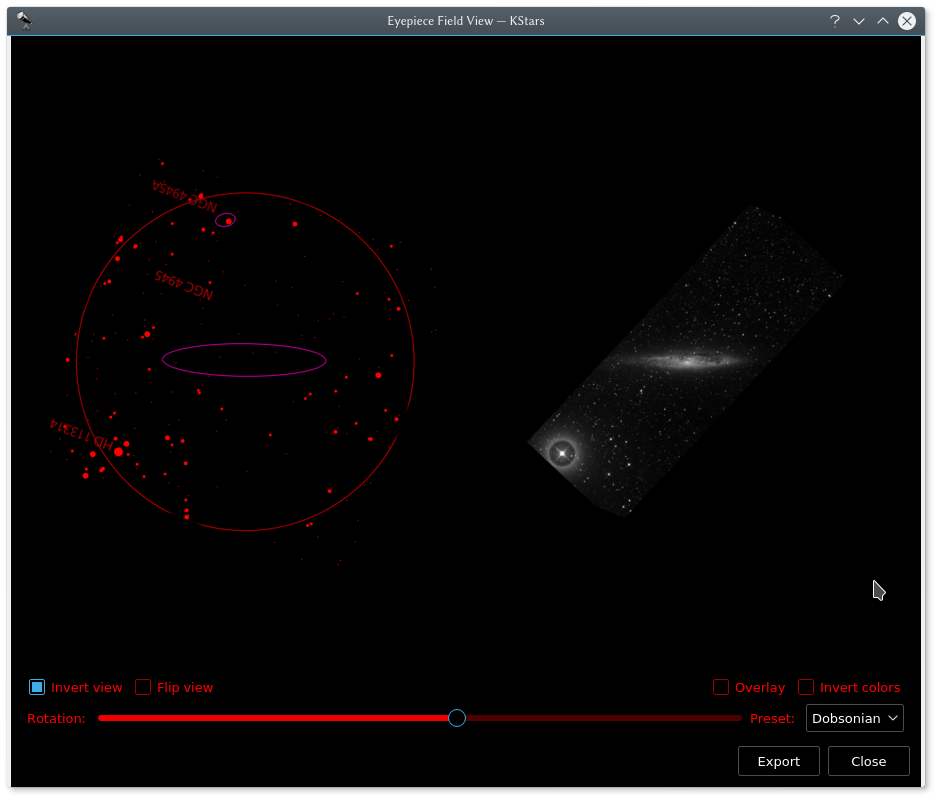
Sur la gauche se trouve une prise de la carte du ciel de KStars. Sur la droite, on voit une image POSS (DSS) de la même région. L'orientation de cet exemple a été ajustée pour correspondre à la vue à travers un télescope de Dobson à l'emplacement et à l'heure de la simulation dans KStars.
Cet outil simule la vue d'un objet obtenue à travers votre oculaire. En plus de rendre le champ de l'oculaire, KStars peut aller chercher et superposer une image DSS. De plus, si vous utilisez un Dobson, vous pouvez faire tourner le champ de vision pour le faire correspondre avec la vue à l'oculaire.
Pour utiliser cette fonctionnalité, vous devez d'abord définir les champs de vue de vos oculaires en utilisant l'outil Indicateurs de champ de vision.
Ensuite il y a deux manières d'invoquer cette fonctionnalité :
Dans la carte du ciel, cliquez avec le bouton droit de la souris sur l'objet désiré et cliquez sur
Simuler la vue à l'oculairedans le menu.Dans le planificateur d'observations, cliquez avec le bouton droit de la souris et cliquez ensuite sur
Simuler la vue à l'oculairedans le menu.À la première invocation de cet outil, on vous demandera de choisir le champ de vue à utiliser pour afficher la vue. Vous pouvez comparer cette vue avec une vraie image du ciel en cliquant sur le bouton
Chercher image DSSpour télécharger une image. Vous pouvez ajuster l'angle de rotation avec le curseur pour que la correspondance soit correcte, ouInverser la vueetRetourner la vueen cochant les cases correspondantes. Sinon vous pouvez utiliser une quantité précalculée de rotation en utilisant un des éléments de la liste déroulantePréréglagesqui est adapté à différents systèmes optiques.
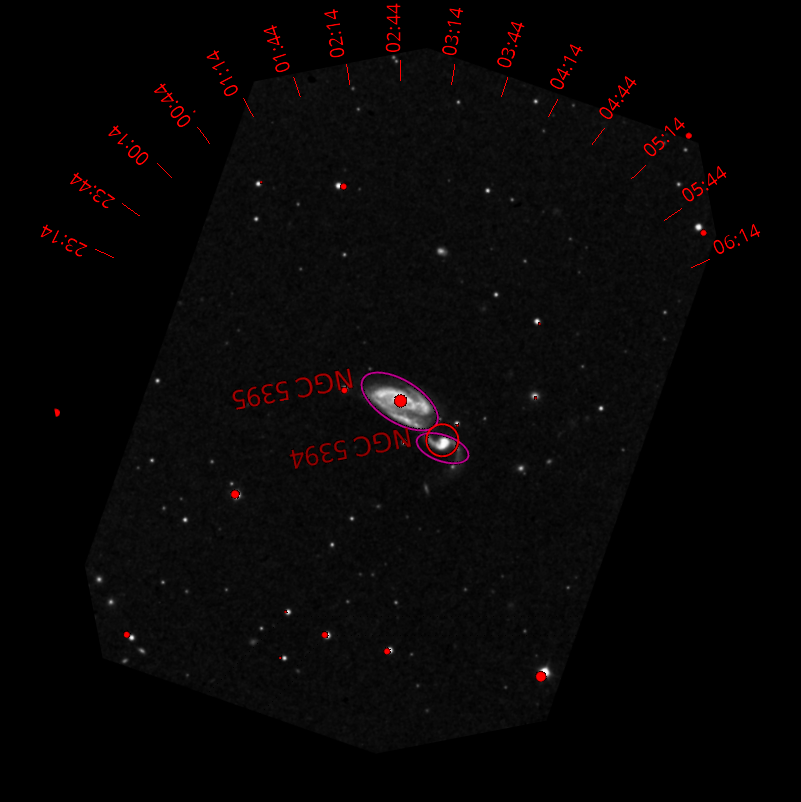
La vue à l'oculaire de Arp 84 avec un marquage indiquant comment le graphique doit être orienté pour correspondre à la vue à travers un Dobson à une heure donnée (les données générées correspondent à l'observatoire McDonald, au Texas, le 14 décembre 2016).
Pour exporter la vue vers un fichier, cliquez sur
Exporter. L'exportation permet d'ajouter des marques pour des graphiques imprimés comme montré ci-dessus et d'enregistrer l'image.